Official Grow a Garden 2 Stock Notifier – DON’T MISS SUPER FRUITS!

Get notified!

By
Share this
  • Share this on Facebook
  • Share this on Twitter
  • Prefer Gamezebo on Google Prefer Gamezebo on Google

This official Grow a Garden 2 Stock Notifier guide redirects you to the only place you want to be when checking on the current seed rotation. Find out how to navigate the site safely, turn on seed pings, and what other features the official notifier site hosts.

Let’s get into it!

Grow a Garden 2 Stock Notifier

Visit gag.gg to follow the official Grow a Garden 2 Stock Notifier.

How Does Stock Notifying Work?

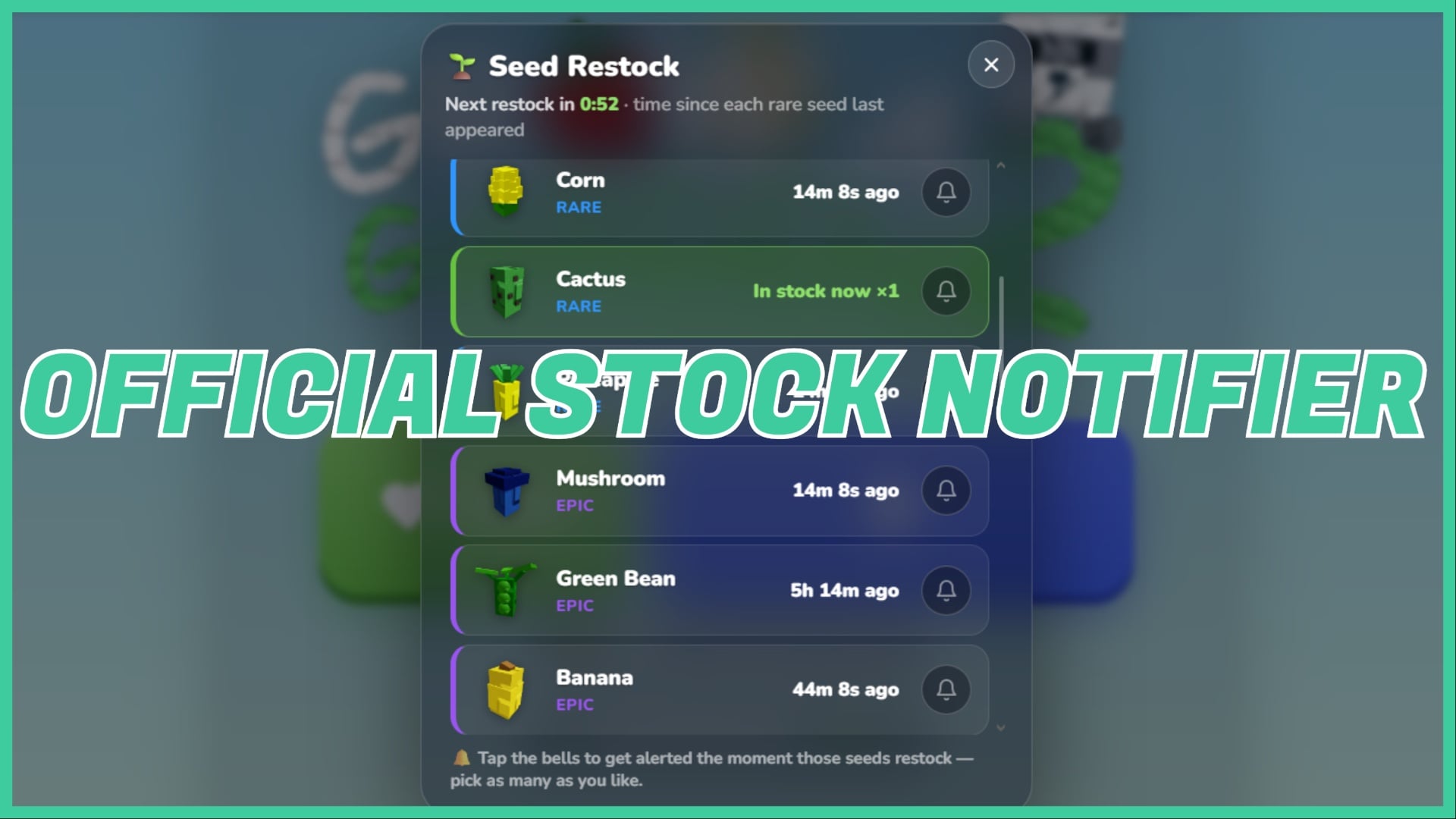
To set your preference, connect your Roblox account to the website and then select the Seed Restock button from the main page.

Here, you can scroll through the currently stocked seeds, including their quantity. Browse when seeds were last stocked, and the next due restock.

Press the bell next to the seed options to turn on notifications for this particular restock. This will open a pop-up where you allow the site to ping you for notifications when the seed you require restocks.

What is gag.gg?

Gag.gg is an official website created by the Grow a Garden 2 development team. Its primary features include a voting system and the Stock Notifier, as mentioned in the above heading.

Voting allows you twenty votes per hour to have your say on potential new features added into the game. This includes new seeds, pets, shovels, and items. After voting, view the bias of other players in a percentage score, and, if you’re lucky, you may find a free seed pack when voting. This seed pack is sent immediately to your in-game mailbox.

From the main page, you can also browse leaderboards for the top gardeners and rarest pets in-game.

Curious about the website? I have two guides that may help: check out my ” How to Get Free Seed Packs in Grow a Garden 2 article, and my ” What do Gold Carrots Do ” on the Grow a Garden 2 website.

Is gag.gg safe?

Yes. The game does not require any personal details, and since it is linked to the main game officially, you aren’t at risk of bans or compromise due to illegitimacy. Some Gold Carrots earning methods require phone numbers, emails, etc, which are entirely optional if you’re not up for sharing those.

Connecting your Roblox and Discord accounts to the website works in the same way as those that take your basic information when joining a new Roblox Discord community. For example, RoVer.


Frequently Asked Questions

Why do I need to use a stock notifier?

You don’t need to, but I do recommend it. Some fruits, such as the Super (rarity) fruits, restock so rarely that it’s incredibly easy to miss them. With each restock only lasting minutes, the stock notifier gives you a heads up and ample time to get online and buy new seeds.

Start Playing Grow a Garden 2

Now you know how to follow stock safely, start playing Grow a Garden 2 via Roblox. Or, check out the gag.gg website.

For more on the gag.gg site, check out my guide on what gold carrots do on the Grow a Garden 2 website. Or, find out how to get free Seed Packs in Grow a Garden 2.

Editor
It seems you've stumbled upon my bio! I'm Sho, your local weeb. Off the clock I am typically watching anime, reading manga, or doing art. I think it's safe to say that all my unpaid thoughts revolve around anime... That said, watch One Piece! (Or don't, I'm just a biography.)